Table of Contents
Have you ever wanted to add a feature to your WordPress website that your current theme or plugins don’t provide?
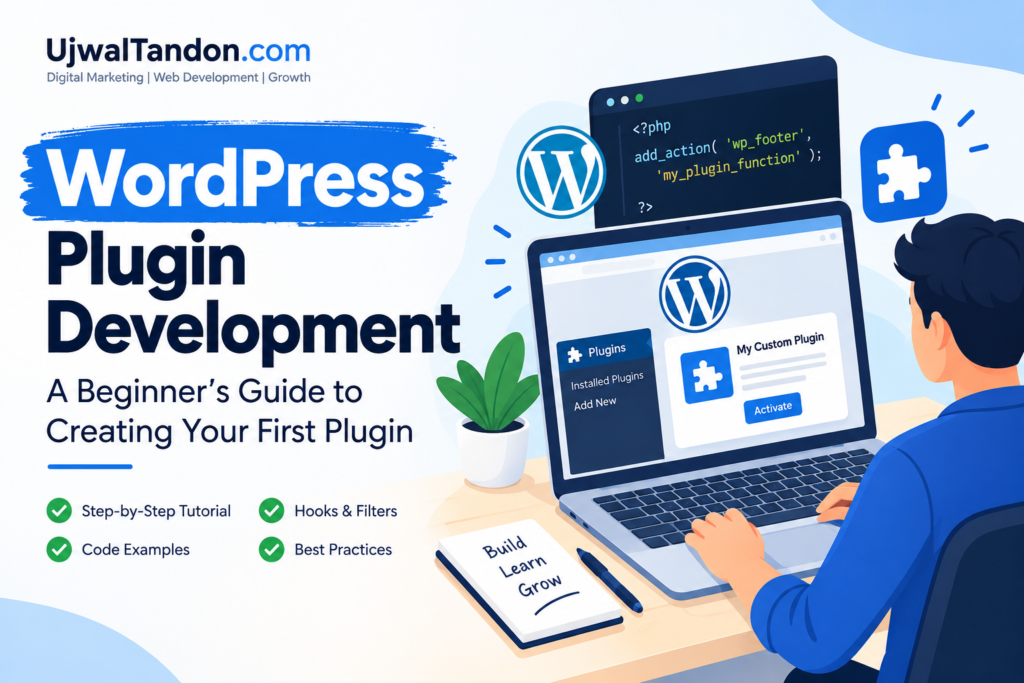
That is where WordPress plugin development becomes useful.
A WordPress plugin is software that enhances a WordPress website with new features or capabilities. You can use plugins to create contact forms, improve SEO, add payment systems, connect external services, customize dashboards, and much more.
The good news is that beginners can start learning WordPress plugin development without becoming expert programmers first.
In this guide, you will learn what a WordPress plugin is, how plugins work, what you need to know before developing one, and how to create a simple plugin from scratch.
What Is WordPress Plugin Development?
WordPress plugin development is the process of creating software that extends or modifies the functionality of WordPress.
Instead of changing WordPress core files, developers can create plugins that add custom functionality more safely and flexibly.
For example, a plugin could:
- Add a custom contact form.
- Display a promotional banner.
- Connect WordPress to a CRM
- Add custom SEO functionality.
- Create a booking system.
- Add payment functionality
- Integrate social media platforms.
- Create custom admin tools.
The biggest advantage is flexibility. You can create a plugin specifically for a website’s requirements instead of depending completely on an existing solution.
Why Learn WordPress Plugin Development?
Learning WordPress plugin development can be valuable for website owners, freelancers, marketers, and aspiring developers.
Plugins can solve problems that cannot easily be solved with normal WordPress settings.
Here are some major benefits:
- Create custom website features.
- Reduce dependency on multiple plugins.
- Build solutions for clients.
- Learn practical PHP development.
- Create products that can potentially be sold.
- Improve your WordPress development skills.
- Build marketing and automation tools.
For digital marketers, plugin development can also be useful for creating custom lead-generation, tracking, analytics, and conversion tools.
What You Need to Know Before WordPress Plugin Development
You do not need advanced programming skills to create your first plugin.
However, learning a few fundamentals will make the process much easier.
Basic Skills You Should Understand
- HTML: Used to structure content.
- CSS: Used to style website elements.
- PHP: The main programming language used by WordPress.
- JavaScript: Useful for interactive features.
- WordPress basics: You should understand pages, posts, themes, and the WordPress dashboard.
You should also become familiar with concepts such as functions, variables, conditional statements, and basic file management.
Do not worry about learning everything before starting. The best way to learn WordPress plugin development is by building small projects and improving as you go.
How WordPress Plugin Development Works
Before writing code, it helps to understand how a WordPress plugin interacts with the website.
A simple process looks like this:
WordPress → Plugin → Hook → Function → Result
WordPress provides an extensive system of hooks that allows plugins to interact with different parts of the platform.
There are two main types of hooks:
Actions
Actions allow your plugin to perform something at a specific point.
For example, you could display a message in the website footer.
Filters
Filters allow your plugin to modify existing content before it is displayed or processed.
Understanding actions and filters is one of the most important parts of WordPress plugin development.
WordPress Plugin Structure
A plugin can be extremely simple.
In fact, your first plugin can contain just one PHP file.
A basic plugin structure can look like this:
my-first-plugin/
│
└── my-first-plugin.php
As the plugin becomes more complex, you can organize it into multiple files.
my-first-plugin/
│
├── my-first-plugin.php
├── includes/
├── admin/
├── assets/
│ ├── css/
│ └── js/
└── readme.txt
What Do These Files Do?
| File/Folder | Purpose |
| Main PHP file | Core plugin functionality |
| includes | Reusable PHP code |
| admin | Dashboard-related functionality |
| assets/css | Stylesheets |
| assets/js | JavaScript files |
| readme.txt | Plugin information and documentation |
Organizing code properly becomes increasingly important as your WordPress plugin development projects grow.
How to Create Your First WordPress Plugin
Now let’s create a very simple plugin.
This example will display a small message in the footer of your website.
Step 1: Create a Plugin Folder
Go to your WordPress installation and open:
/wp-content/plugins/
Create a new folder called:
my-first-plugin
You can use another unique name, but avoid spaces and confusing names.
Step 2: Create the Main PHP File
Inside the new folder, create:
my-first-plugin.php
This will be the primary file for your plugin.
Step 3: Add the Plugin Header
Open the PHP file and add:
<?php
/**
* Plugin Name: My First Plugin
* Description: A simple WordPress plugin for beginners.
* Version: 1.0
* Author: Ujwal Tandon
*/
The plugin header tells WordPress important information about your plugin.
WordPress uses this information to recognize the file as a plugin.
Step 4: Add Your First Function
Now let’s create a function.
function my_first_plugin_message() {
echo ‘<p>Welcome to my website!</p>’;
}
This function outputs a simple message.
Next, connect the function to a WordPress action.
add_action(‘wp_footer’, ‘my_first_plugin_message’);
Your complete code becomes:
<?php
/**
* Plugin Name: My First Plugin
* Description: A simple WordPress plugin for beginners.
* Version: 1.0
* Author: Ujwal Tandon
*/
function my_first_plugin_message() {
echo ‘<p>Welcome to my website!</p>’;
}
add_action(‘wp_footer’, ‘my_first_plugin_message’);
This is a basic example of WordPress plugin development in action.
Step 5: Activate Your Plugin
Log in to your WordPress dashboard.
Go to:
Plugins → Installed Plugins
Find My First Plugin and click Activate.
Visit your website and check the footer.
You should see your message.
Congratulations!
You have created your first WordPress plugin.
Understanding WordPress Hooks
Hooks are essential in WordPress plugin development because they allow your code to interact with WordPress without modifying its core files.
Action Example
add_action(‘wp_footer’, ‘my_first_plugin_message’);
This tells WordPress to run your function when the footer is generated.
Filter Example
A filter can modify existing content.
For example:
function add_custom_text($content) {
return $content. ‘<p>Thanks for reading!</p>’;
}
add_filter(‘the_content’, ‘add_custom_text’);
This adds custom text after the post content.
Once you understand hooks, you can build much more useful WordPress plugins.
Adding CSS and JavaScript to a Plugin
As your plugin becomes more advanced, you may need custom styling and JavaScript.
Instead of placing everything inside one PHP file, create separate asset files.
For example:
assets/
├── css/
│ └── style.css
└── js/
└── script.js
WordPress provides functions such as wp_enqueue_style() and wp_enqueue_script() to load these files correctly.
This keeps your plugin clean, organized, and easier to maintain.
How to Add a Plugin Settings Page
Many useful plugins need settings that website owners can change from the WordPress dashboard.
For example, a plugin could allow users to change:
- Text
- Colors
- API keys
- Display options
- Tracking settings
- Notification preferences
A typical settings page might appear like:
Dashboard → My Plugin → Settings
Creating admin settings is an important step toward advanced WordPress plugin development.
Working With the WordPress Database
Some plugins need to store information.
For example, a lead-generation plugin may need to save submitted forms.
WordPress provides database tools, including the $wpdb class, for interacting with the database.
However, beginners should be careful when working with databases.
Always focus on:
- Validating data
- Sanitizing input
- Preparing database queries
- Protecting sensitive information
- Following WordPress coding standards
You should never treat user-submitted information as automatically safe.
WordPress Plugin Security Best Practices
Security should be part of your plugin development process from the beginning.
A plugin that works correctly but contains security problems can create serious issues for a website.
Important Practices
- Sanitize user input
- Validate submitted data
- Escape output
- Use WordPress nonces
- Check user capabilities
- Avoid hardcoding sensitive information.
- Keep dependencies updated
- Test forms and admin functions carefully
A useful rule to remember is:
Sanitize input → Validate data → Escape output.
Security is not an advanced feature. It should be considered from the first stage of WordPress plugin development.
Common WordPress Plugin Development Mistakes
Beginners often make similar mistakes when creating their first plugins.
Some common examples include:
- Putting files in the wrong folder
- Forgetting the plugin header
- Not activating the plugin.
- Using incorrect hook names
- Creating function name conflicts
- Loading CSS or JavaScript incorrectly
- Not validating user input.
- Ignoring PHP errors
- Changing WordPress core files unnecessarily
Start with small projects and test each feature before adding another one.
How to Debug a WordPress Plugin
When your plugin does not work, do not panic.
WordPress includes debugging features that can help identify problems.
You can enable debugging in wp-config.php:
define(‘WP_DEBUG’, true);
define(‘WP_DEBUG_LOG’, true);
You can then investigate PHP errors and warnings.
Other useful debugging methods include:
- Checking your browser console
- Reviewing the WordPress debug log.
- Testing one feature at a time
- Checking PHP syntax
- Temporarily disabling other plugins.
- Testing with a default WordPress theme
Good debugging habits will make WordPress plugin development much easier as your projects become larger.
Best Practices for WordPress Plugin Development
A professional plugin should not only work. It should also be easy to maintain.
Keep these practices in mind:
- Use meaningful function names.
- Keep files organized
- Follow WordPress coding standards.
- Avoid unnecessary code
- Use hooks instead of modifying core files.
- Secure user input
- Document important functions
- Test before publishing
- Keep the plugin updated.
- Make the plugin lightweight.
Good development practices will save time when you need to modify or troubleshoot your plugin later.
WordPress Plugin Projects for Beginners
Once you understand the basics, try building small projects.
Some beginner-friendly ideas include:
- Custom Welcome Message Plugin
- Simple Announcement Bar
- Custom Shortcode Plugin
- Basic Contact Form
- Social Sharing Plugin
- Simple Lead Collection Tool
- Custom Post Meta Plugin
- Basic Marketing Tracking Plugin
These projects can help you move from theory to practical WordPress plugin development.
WordPress Plugin Development vs Using an Existing Plugin
You do not always need to create a custom plugin.
Sometimes an existing plugin is the better solution.
| Use an Existing Plugin | Build a Custom Plugin |
| The feature already exists | You need unique functionality |
| You need a quick solution | Existing plugins do not meet requirements |
| You have limited development skills | You need complete control |
| The project has a standard requirement | You need a custom integration |
The right choice depends on your website, budget, technical requirements, and long-term goals.
How WordPress Plugin Development Can Help Your Business
Custom plugin development can do more than add website features.
For businesses, custom plugins can support digital marketing and growth.
For example, a custom plugin could help with:
- Lead generation
- Conversion tracking
- Marketing automation
- CRM integrations
- Analytics
- Custom forms
- SEO workflows
- Customer engagement
For a digital marketing website such as UjwalTandon.com, combining marketing strategy with custom WordPress functionality can create a more tailored experience for clients and visitors.
Frequently Asked Questions
What is WordPress plugin development?
WordPress plugin development is the process of creating custom software that adds or modifies functionality on a WordPress website.
Is WordPress plugin development difficult for beginners?
It can feel challenging initially, but beginners can start with simple PHP, functions, and WordPress hooks and gradually build more advanced skills.
What programming language is used for WordPress plugins?
PHP is the primary programming language used for WordPress plugins. HTML, CSS, JavaScript, and SQL may also be used depending on the plugin’s functionality.
Can I create a WordPress plugin without coding experience?
You can begin learning without professional development experience, but understanding basic PHP and WordPress concepts will make creating custom plugins much easier.
How do I create my first WordPress plugin?
Create a folder inside /wp-content/plugins/, add a PHP file with a valid WordPress plugin header, write your functionality, and activate the plugin from the WordPress dashboard.
What are WordPress hooks?
Hooks allow plugins to interact with WordPress at specific points. Actions perform tasks, while filters modify existing data or content.
Are WordPress plugins safe?
Plugins can be safe when they are properly developed, maintained, and secured. Always use trusted plugins and keep them updated.
Can I sell a WordPress plugin?
Yes. Developers can create and distribute plugins commercially, provided they follow WordPress licensing and applicable marketplace requirements.
Conclusion
WordPress plugin development is one of the best ways to learn how WordPress works beyond the dashboard.
You do not need to begin with a complicated project. Start with a simple plugin, learn how plugin files work, understand actions and filters, and gradually introduce settings, database functionality, JavaScript, and advanced features.
The most important thing is practice.
Build small projects, experiment with different WordPress hooks, learn from errors, and improve your code over time.
Once you understand the fundamentals, you can use WordPress plugin development to create custom solutions for websites, businesses, marketers, and clients.
Whether you are learning development as a new skill or looking to create a more powerful business website, custom WordPress functionality can open up many possibilities.
